GearUP Booster review: one-click boosting, console router, and is it legit or a scam?
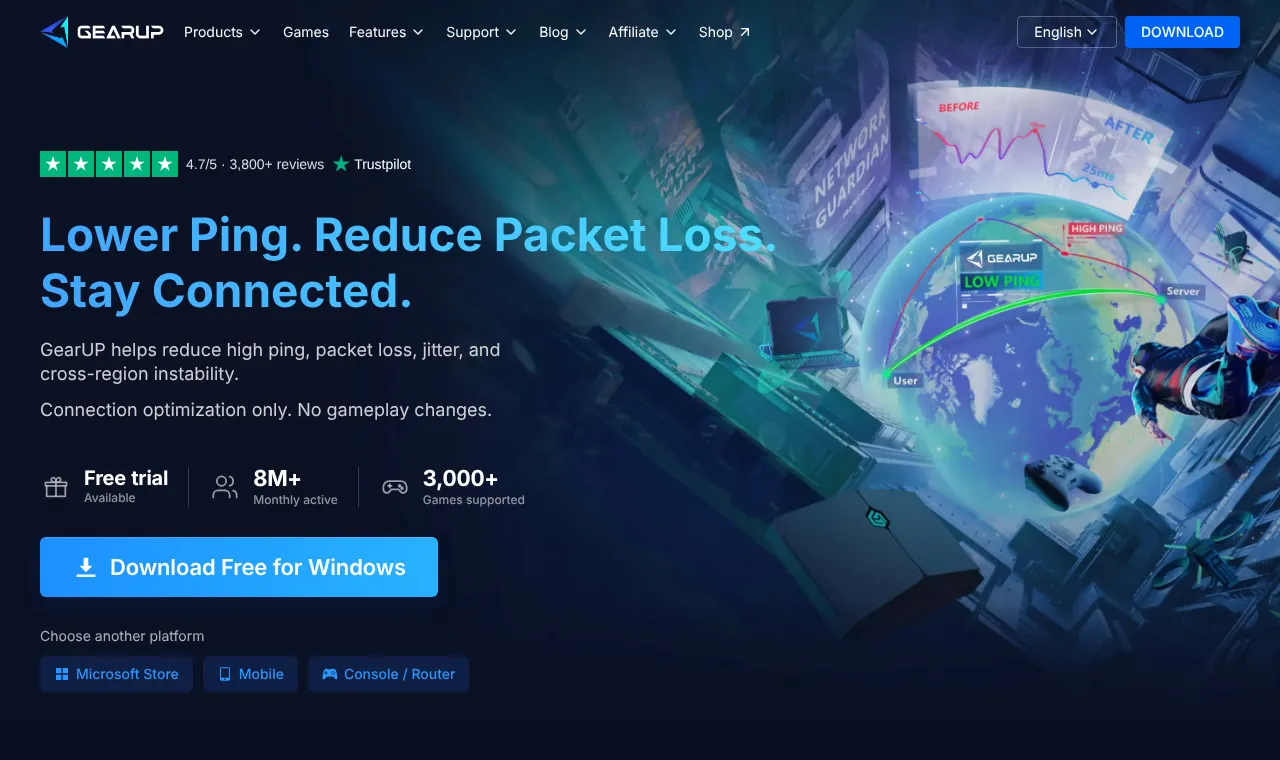
- GearUP is built for one-click boosting: pick a game, press boost, and adaptive routing chooses the path.
- It is a real product from GearUP Portal Pte. Ltd., sold on the Microsoft Store and built into selected ASUS routers. It is not a scam, but its trial needs a card and renews automatically.
- Its terms describe a 3-day free trial; the first charge is processed about 30 minutes before the trial ends, and auto-renewal must be cancelled 3 days before a billing date.
- Consoles are covered through the HYPEREV router ($39.99 on sale, $99.99 regular, on 11 November 2026), which now includes a free Standard Boost.
- Good for beginners and console players; Windows players who want detailed network tools may prefer ExitLag.
GearUP Booster is aimed at players who do not want to touch network settings. Its promise is simple: choose your game, press one button, and let adaptive routing find the path. What makes it different from most rivals is that it also reaches consoles, through a router. This GearUP Booster review covers what it offers according to its own site, what it costs, the trial and renewal rules that cause most complaints, and how to test it without surprises.
GearUP Booster review in brief
| Company | GearUP Portal Pte. Ltd. |
| Devices | Windows, iOS, Android; PlayStation, Xbox, Switch via the HYPEREV router; also Steam Deck and VR headsets |
| Games | 3,000+ (vendor's figure) |
| Users | 8 million+ monthly active (vendor's figure) |
| Extras | LAN Play, online ping test, Twitch Drops helper |
| Partners | Escape from Tarkov, ASUS (selected routers include GearUP), Discord promotion |
| Free trial | 3 days per its user agreement; payment method required |
| Price | Mobile $6.99/month, router membership $9.99/month; Windows price shown at checkout |
| Refunds | Purchases final by default; pro-rata refunds in the EEA, UK, Switzerland and South Korea |
From GearUP's home page, user agreement, support pages and shop, checked on 11 November 2026.
- Try it
- Free trial (3 days per its terms), card required
- Pays
- Subscription; mobile $6.99, router $9.99 a month
- Runs on
- Windows, iOS, Android; consoles via its router (HYPEREV)
- Games
- 3,000+ (vendor's figure)
- One-click, no settings
- Router option for PlayStation, Xbox and Switch
- Built into selected ASUS routers
- Console boosting needs extra hardware
- Trial needs a card and renews automatically
How GearUP works
GearUP routes your game traffic over its own network and adapts the route automatically. Its home page says it helps reduce high ping, packet loss, jitter and instability between regions, and stresses that it is "only connection optimization, no gameplay modification": it does not touch the game itself, which matters to players worried about anti-cheat systems.
It is designed to be used without settings: choose the game, press boost. That makes it one of the easiest boosters for beginners. The flip side is that you get fewer knobs to turn than with tools such as ExitLag, which add a traffic shaper and a network analyzer.
Is GearUP Booster legit, or a scam?
Search for GearUP and you will quickly find posts calling it a scam. The facts we can check point the other way on legitimacy:
- it is published by an identifiable company, GearUP Portal Pte. Ltd., named on every page of its site;
- the Windows app is distributed through the Microsoft Store as well as its own site;
- ASUS sells routers with GearUP built in, and GearUP lists partnerships with Escape from Tarkov and Discord;
- its home page shows a Trustpilot widget with a 4.7/5 score from 3,800+ reviews (vendor-displayed figure).
So GearUP is a real product that does what boosters do. What turns some customers against it is not the routing but the billing model, which is worth understanding before you press "start trial".
The free trial and auto-renewal: read this first
GearUP's own documents describe how the trial and renewals work:
- The trial needs a payment method. GearUP's user agreement says the membership may start with a free trial that lasts three days, "or as otherwise specified during your account sign-up", and that you must provide a payment method.
- Billing starts automatically. Unless you cancel before the trial ends, GearUP starts charging the membership fee. Its PC auto-renewal FAQ says the first payment is generally processed about 30 minutes before the trial ends.
- Cancel early. The same FAQ says that to avoid a charge you must cancel auto-renewal three days before the billing date, and that some payment channels cannot cancel within 24 hours of it. Cancelling during the trial ends the trial immediately.
- A pre-authorization may appear. The user agreement says your payment method can be authorized for up to about 12 months of service when you register, which can temporarily reduce your available balance.
- Notices. The user agreement says you will not get a notice when the trial ends; the PC FAQ says GearUP emails you three days before a scheduled charge and on the day of the charge. Do not rely on either: set your own reminder.
None of this is unusual for subscription software, but combined it explains most "I was charged" complaints. The safe way to test GearUP is to set a calendar reminder for day two of the trial and decide before the cancellation deadline.
GearUP price: what it costs
GearUP does not publish one price list for every platform. What its official pages show on 11 November 2026:
| Product | Price | Notes |
|---|---|---|
| GearUP for Mobile | $6.99 for 1 month | Official shop listing |
| GearUP Router membership | $9.99 for 1 month | For HYPEREV / router boosting |
| GearUP for Windows | Shown in the app at checkout | Renewals charged at the original price you paid |
| HYPEREV router | $39.99 sale price, $99.99 regular | Includes 3 months of membership |
Prices can differ by region and promotion. For a Windows-only player the real comparison is with ExitLag, NoPing and LagoFast: see ExitLag vs GearUP and the ExitLag alternatives overview.
Refunds: depends on where you live
GearUP's user agreement sets three different refund rules:
| Where you live | What the agreement says |
|---|---|
| Most countries | Purchases are final and non-refundable unless the law says otherwise; no refunds or credits for partially used periods |
| EEA, Switzerland, UK | You can cancel a subscription and request a refund within 14 days of the first payment, even after using it; the refund may be reduced pro-rata |
| South Korea | You can cancel a subscription at any time for a pro-rata refund, with a 10% fee if you cancel after 7 days |
Hardware such as HYPEREV follows the shop's own refund policy. If you are outside Europe and Korea, treat the trial as your only risk-free test.
Consoles: the HYPEREV router
Most boosters stop at PC and phones. GearUP covers PlayStation, Xbox and Nintendo Switch through HYPEREV, its router product that sits between your console and your home router. GearUP also says selected ASUS routers include GearUP.
According to GearUP's HYPEREV pages:
- Setup is plug and play: connect power and Ethernet, then finish the configuration in the GearUP Router app, which GearUP says takes about 30 seconds.
- It doubles as a gigabit router with dual-band 2.4 GHz and 5 GHz Wi-Fi.
- Since 30 May 2025, every new HYPEREV owner gets Standard Boost free for life, with no app or subscription needed.
- VIP Boost is the paid upgrade for lower latency, cross-region matchmaking and more platforms. HYPEREV bundles include a VIP period (3, 6 or 12 months); after that you renew in the app or fall back to Standard Boost.
Two things to keep in mind:
- console boosting means extra hardware, not only a subscription;
- a router-level booster helps routing, not your Wi-Fi: keep the console on a cable or a strong signal.
Extras
- LAN Play: play LAN games with friends over the internet.
- Ping Test: an online test on GearUP's site that shows your real ping, and GearUP's estimate of how much it could cut, before you download anything. Treat the estimate as a hint; only your own in-game test counts.
- Twitch Drops helper: collect drops with one click.
What creators say, and what to take from it
GearUP's home page quotes creators who use it. One of the most useful quotes is also the most modest: a player with an already strong connection says ping dropped by about 10–12 ms, not 50 ms, with the bigger difference on distant servers such as Japan. That matches how boosters work in general: the further and more congested the route, the more a booster can help; on a short, clean route there is little to gain.
How to test GearUP without surprises
- Before the trial, run a baseline: 15 minutes in your main game with the network overlay on.
- Start the trial at your peak hour and set a reminder for the next day.
- Play the same server at the same hour with GearUP on, then repeat once more.
- Compare spikes and packet loss, not just average ping.
- Decide before the cancellation deadline. If you do not keep it, cancel auto-renewal on the account settings page.
If the difference is small on your usual servers, GearUP may still be worth it for cross-region play, where gains tend to be larger.
Pros and cons
| Pros | Cons |
|---|---|
| Truly one-click | Fewer manual network tools than ExitLag |
| Consoles via router, ASUS integration | Console use needs extra hardware |
| HYPEREV owners get Standard Boost free | Trial needs a card and renews automatically |
| Free online ping test | Refunds limited outside Europe and Korea |
| Says it does not modify gameplay | Gains are small on short, clean routes |
Who should use GearUP?
| You are... | GearUP? |
|---|---|
| A console player with lag on distant servers | Yes, via HYPEREV or an ASUS router with GearUP |
| A beginner who wants one button | Yes |
| A Windows player who wants detailed network tools | Compare with ExitLag first |
| Someone who forgets to cancel trials | Prefer a no-card trial, such as ExitLag (3 days) or NoPing (1 day) |
| On a short, clean route with low ping already | Probably not worth paying for |
Alternatives
- ExitLag for Windows players who want a Traffic Shaper and Network Analyzer, with a 3-day trial and no card: ExitLag vs GearUP.
- LagoFast for another option that lists consoles: LagoFast review.
- All the options side by side: ExitLag alternatives.
GearUP Booster review verdict
GearUP is legit, easy to live with, and one of the few boosters that reaches consoles, now with a free Standard Boost for HYPEREV owners. It is a good fit for beginners, console players and anyone who plays on distant servers. Its weak spot is the billing model: the trial needs a card and renews automatically, and refunds are limited in most countries. Test it with a reminder set, and keep it only if your own numbers improve.
Frequently asked questions
Is GearUP Booster legit or a scam?
It is legit in the sense that matters: a paid product from an identifiable company (GearUP Portal Pte. Ltd.), distributed through its own site and the Microsoft Store, with an ASUS router partnership. Many 'scam' complaints online are about unexpected charges. GearUP's free trial asks for a payment method and the membership renews automatically unless you cancel in time, so read the renewal terms before you start.
Is GearUP Booster safe?
The official app is a commercial product that says it only optimizes the connection and does not modify gameplay. Download it only from gearupbooster.com or official app stores, never from 'free' or cracked copies.
How long is the GearUP free trial?
GearUP's user agreement says the free trial lasts three days, or as otherwise specified at sign-up. You link a payment method to start it; you are not charged immediately, but the first payment is generally processed about 30 minutes before the trial ends.
How do I cancel GearUP before I am charged?
On PC, cancel auto-renewal on the account settings page. GearUP's auto-renewal FAQ says to do it three days before the billing date, and that cancelling during the trial ends the trial immediately. Some payment channels cannot cancel within 24 hours of the next billing date.
How much is GearUP Booster?
GearUP's official shop lists the mobile membership at $6.99 a month and the router membership at $9.99 a month. The Windows price is shown in the app at checkout; renewals are charged at the original price of the membership you bought.
Does GearUP give refunds?
According to its user agreement, purchases are final and partially used periods are not refunded, unless applicable law says otherwise. Players in the EEA, Switzerland and the UK can cancel a subscription within 14 days of the first payment for a pro-rata refund; players in South Korea have their own pro-rata rule with a 10% fee after 7 days.
Does GearUP Booster work on PS5?
Yes, through extra hardware. GearUP covers PlayStation, Xbox and Nintendo Switch through its HYPEREV router, which sits between your console and your home router. Selected ASUS routers also include GearUP.
How many games does GearUP support?
GearUP says it supports more than 3,000 games across PC, console and mobile.
Sources we checked
Prices, trials and features change often. We re-check these pages before every update; last check 11 November 2026.
- GearUP Booster: home page (platforms, games, trial, partners, company)
- GearUP: User Agreement (free trial, billing, refunds by region)
- GearUP: PC membership auto-renewal FAQ
- GearUP: HYPEREV console router
- GearUP shop: HYPEREV product page (price, included membership)
- GearUP shop: Standard Boost and VIP Boost
- GearUP shop: router membership (1 month)
- GearUP shop: mobile membership (1 month)